History
Every time you finish a shop, Cartsy tucks that trip away for safekeeping. The History screen is where all those past trips live, so you can look back at what you bought, where you bought it, and what it came to.
A trip lands here the moment you check out from your Shopping Cart — Cartsy archives everything that was in the cart and starts a fresh one for next time. To open History, tap the clock button in the top-left corner of the Cart.
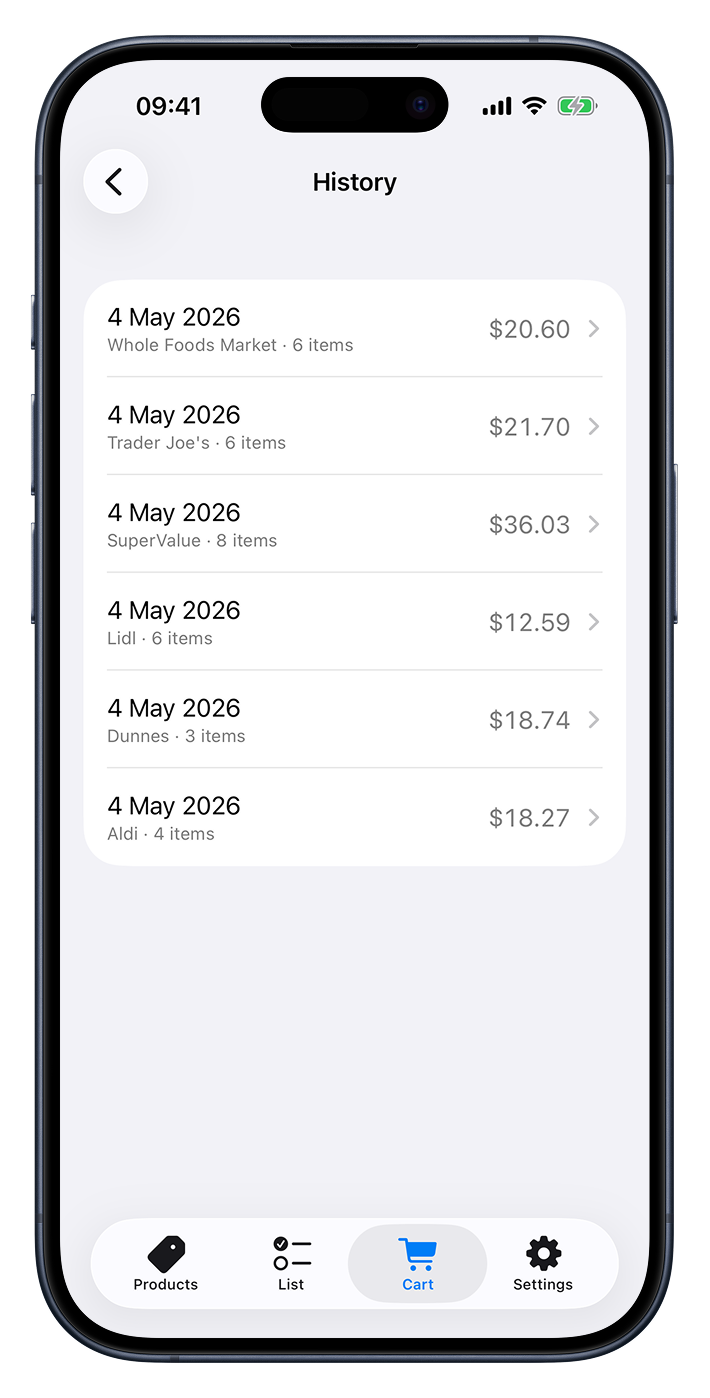
Your past trips
The main screen is a list of every trip you’ve checked out, with the most recent at the top. Each entry shows you the essentials at a glance:
- The date you checked out.
- Where you shopped and how much you bought — the shop’s name followed by how many items were in the cart (or just the item count if the trip wasn’t tied to a shop).
- The total for that trip, off to the right.
If you haven’t checked out any trips yet, you’ll see a friendly “No past shops” note letting you know that finished trips will show up here.
Looking at a single trip
Tap any trip to open it up and see the full picture.
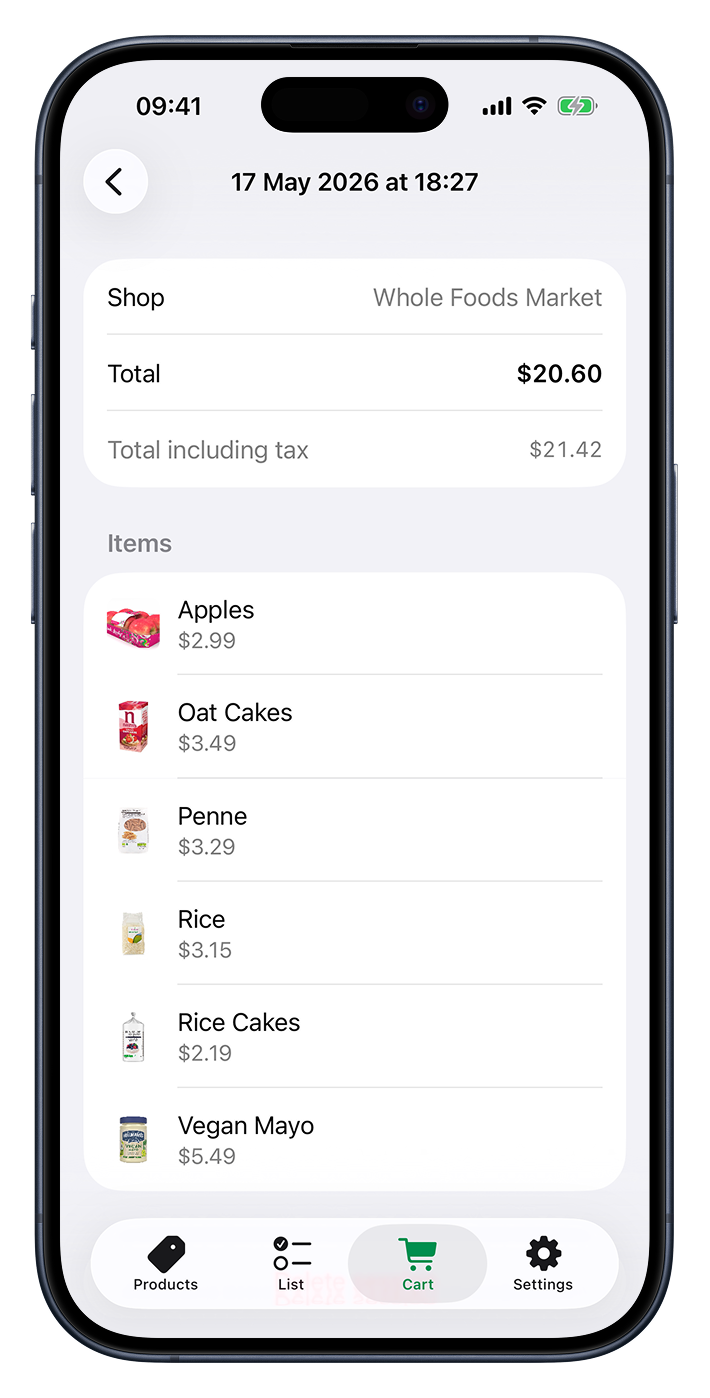
Shop
At the top you’ll find the shop this trip belongs to. This isn’t just for show — tap it to change which shop the trip is filed under, in case it was missed at the time or you’d like to tidy things up later. You can read more about shops in the Shops section.
Total
Next is the total you spent on the trip. If you’ve set a tax rate, you’ll also see a Total including tax line just beneath it, showing the same total with tax added on. The tax rate is something you turn on in Settings — when it’s off, this line simply doesn’t appear.
Items
Below the totals is the full list of items from the trip, in the order you added them.
Each one shows its photo (if the product has one), its name, and the price you paid. If you
bought more than one of something, you’ll see the quantity marked with a × next to it.
Removing a trip
If a trip was logged by mistake or you simply don’t want to keep it, open it and tap Delete session at the bottom. Cartsy will ask you to confirm, since removing a trip also removes its items from History and can’t be undone.